
Local-only alarms|Nobody knows at night or on holidays
The risk is building
Keep your existing alarm panels and see them remotely
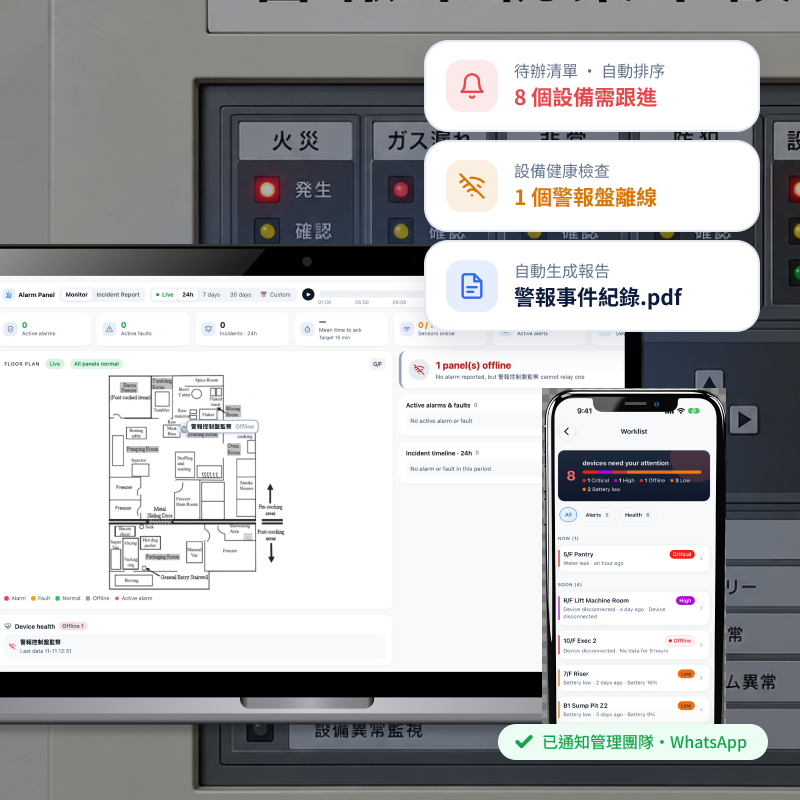
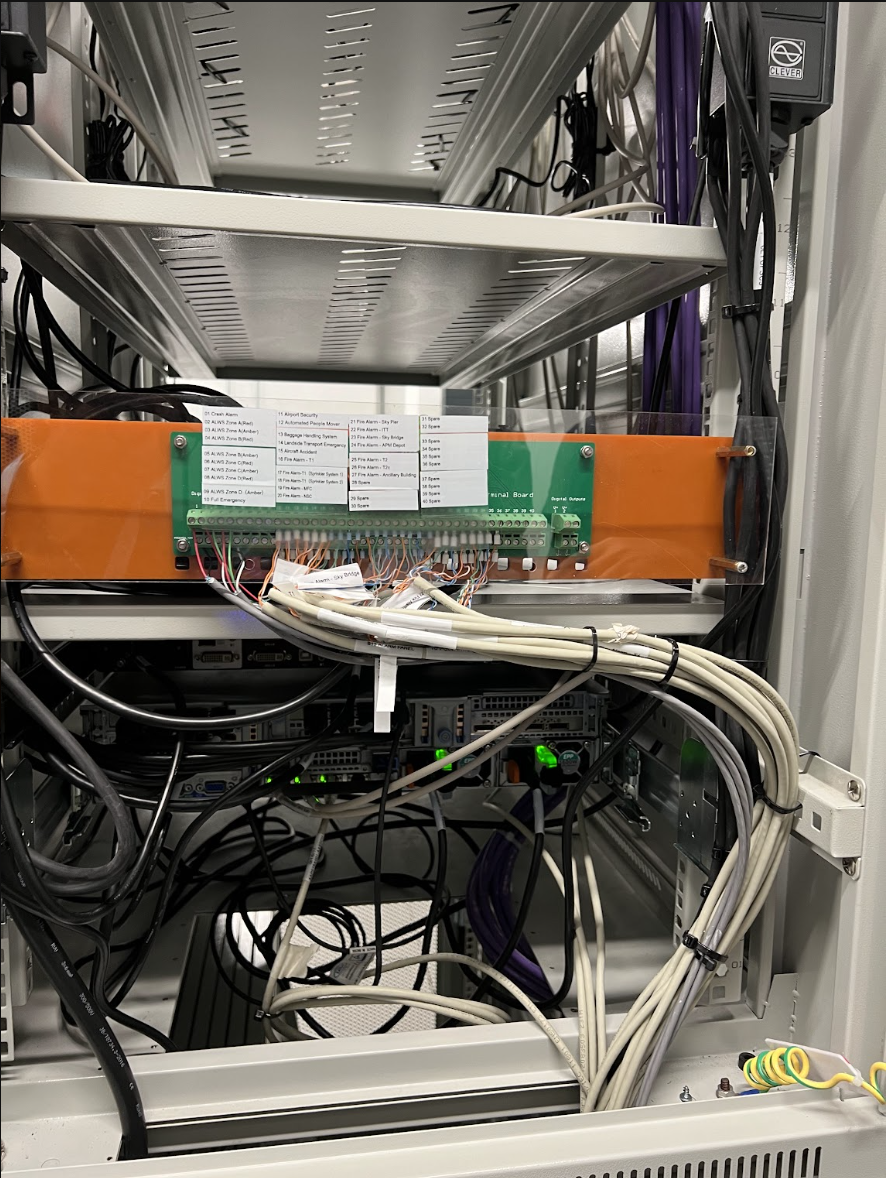
An interface device connects to your existing fire and security alarm panels through dry contacts or the network, reads alarm and fault signals, and brings them into one platform that instantly alerts the duty team.
Powered by SenseOS|Engineering-grade deployment with 3,000+ devices connected locally
Published Updated
At a glance
SenseOS centralized alarm system monitoring uses an interface device to connect to existing fire and security alarm panels through dry contacts or the network, reading alarm and fault signals without replacing or modifying the alarm system. Multiple subsystems are managed in one platform, and when an alarm or fault triggers the duty team is alerted instantly via SMS, WhatsApp, email or voice call, so alarms no longer sound only locally with nobody aware at night or on holidays. Every event is time-stamped and archived to support incident investigation. It suits fire alarm panels, security alarm panels, unmanned equipment and pump rooms, remote sites and substations.
An alarm that only sounds on site is useless when nobody is there.
Local-only alarms|Nobody knows at night or on holidays
Unmanned rooms|Found only on the next patrol
Multiple systems|Checked separately, information scattered
No hardware to buy upfront. Open an account online to simulate operation, then connect physical devices once you are happy.
01
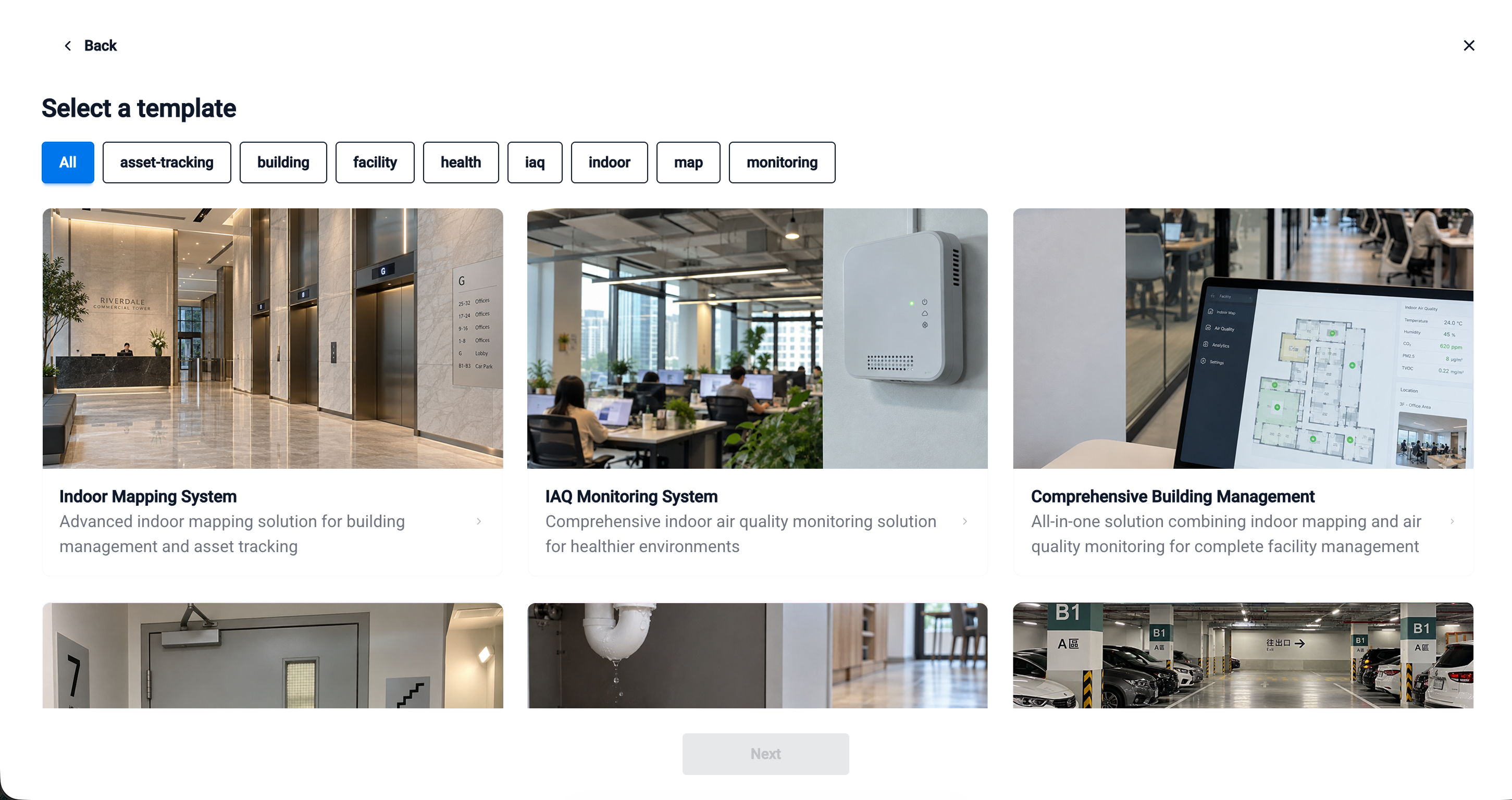
Sign up|Create your own space in 1 minute
Create a free SenseOS account online and draw your own floor or meeting-room plan. No waiting for quotes or site visits.
02
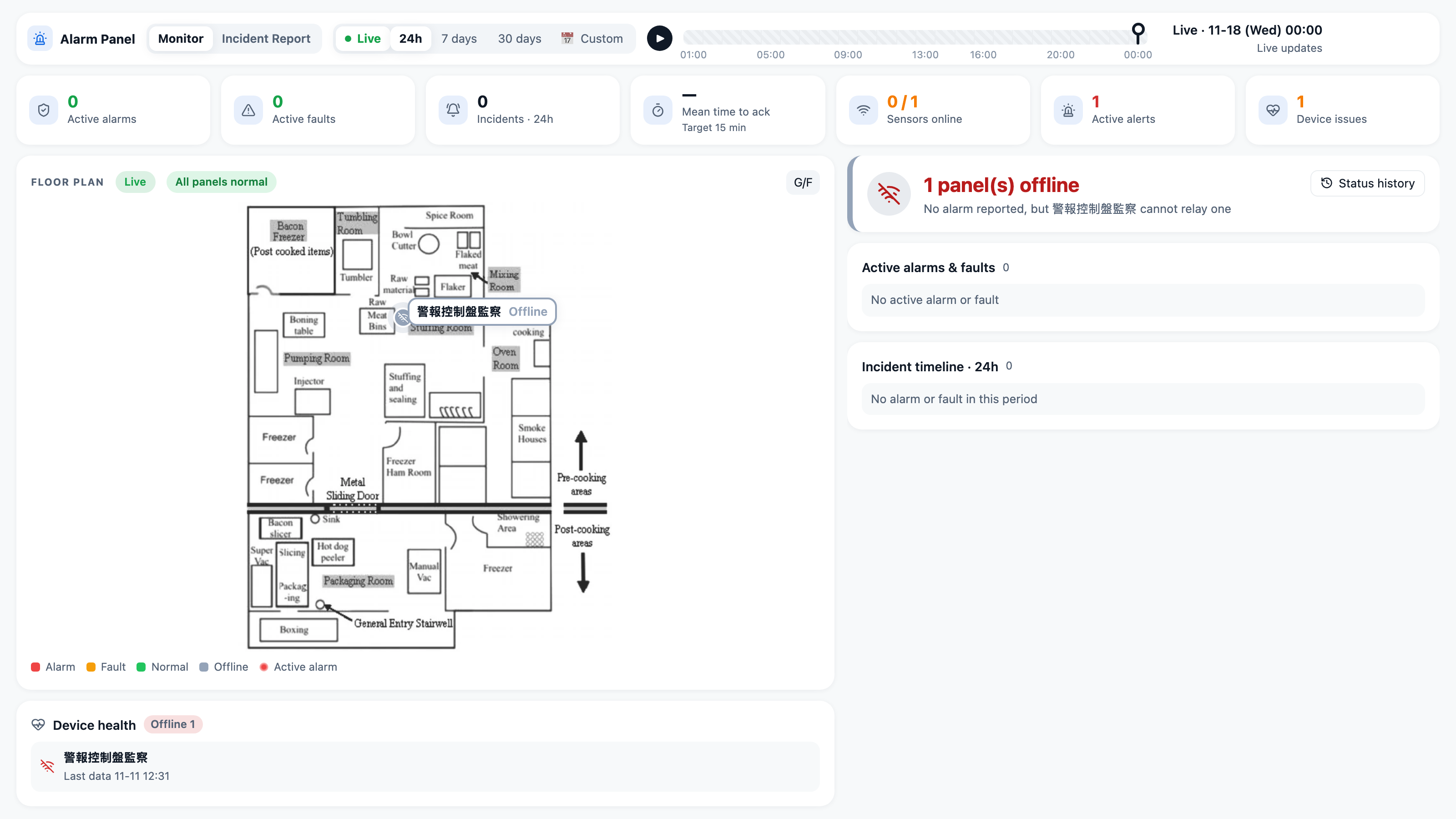
Simulate|Test data flow with zero hardware
Built-in virtual alarm panel monitoring simulates the alarm, fault and offline status of each panel, so you can preview the real monitoring screens, including panel locations on the floor plan, active alarm and fault lists, the 24-hour incident timeline and device health.
03
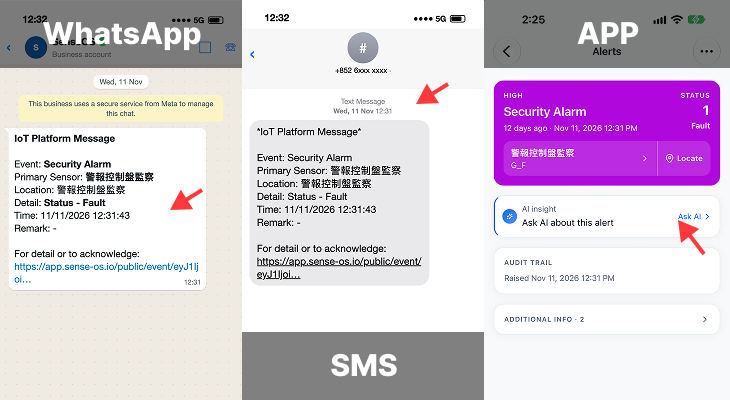
Manage|Set up alerts and automatic reports
Get instant threshold alerts (WhatsApp / email / SMS). The system also saves all historical data automatically, so you can review or export records any time and experience the full management workflow.
04
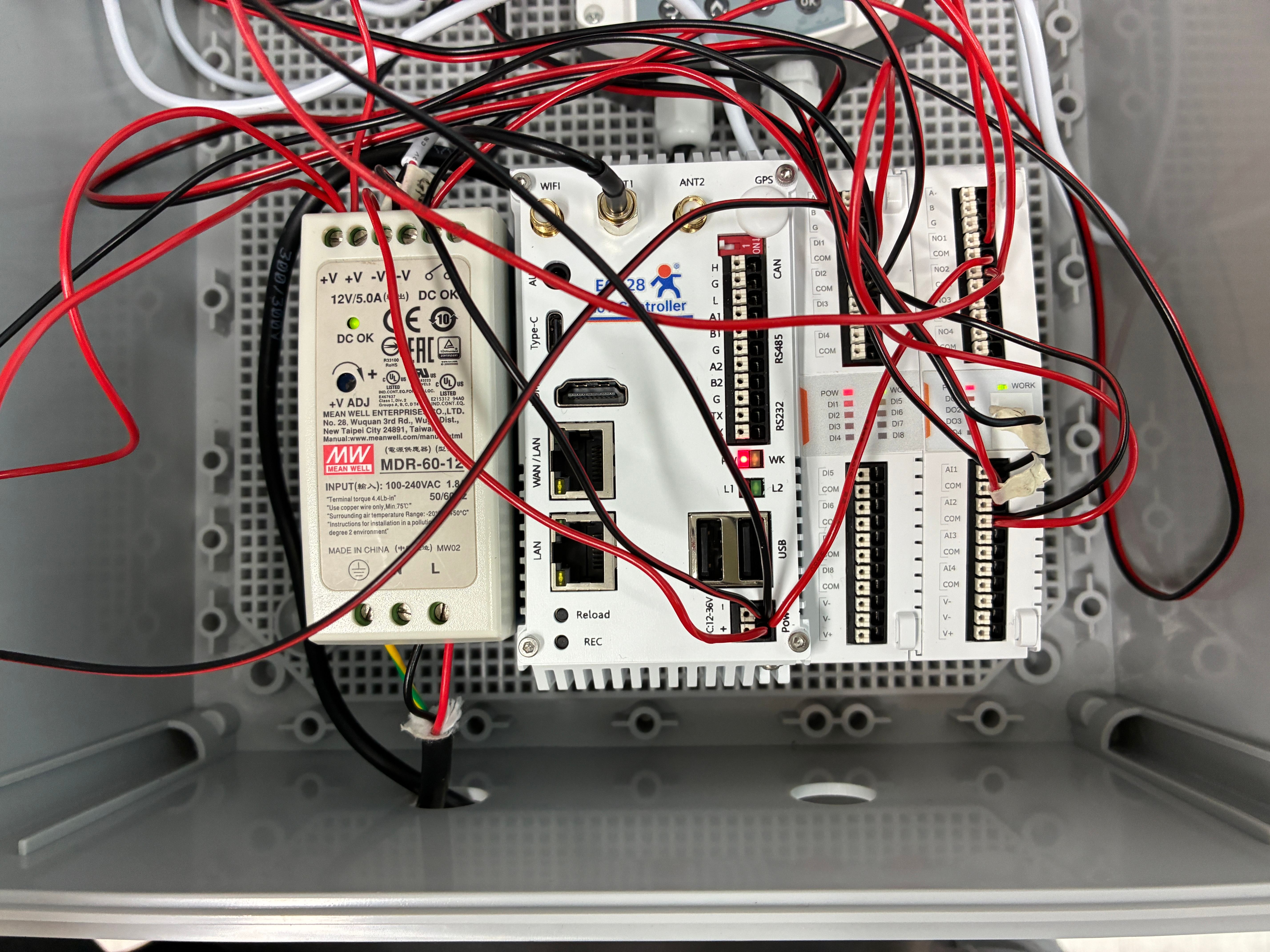
Connect|Add physical sensors when you need them
Once the platform fits your needs, buy wireless sensors or connect existing systems. Plug in and switch over seamlessly.
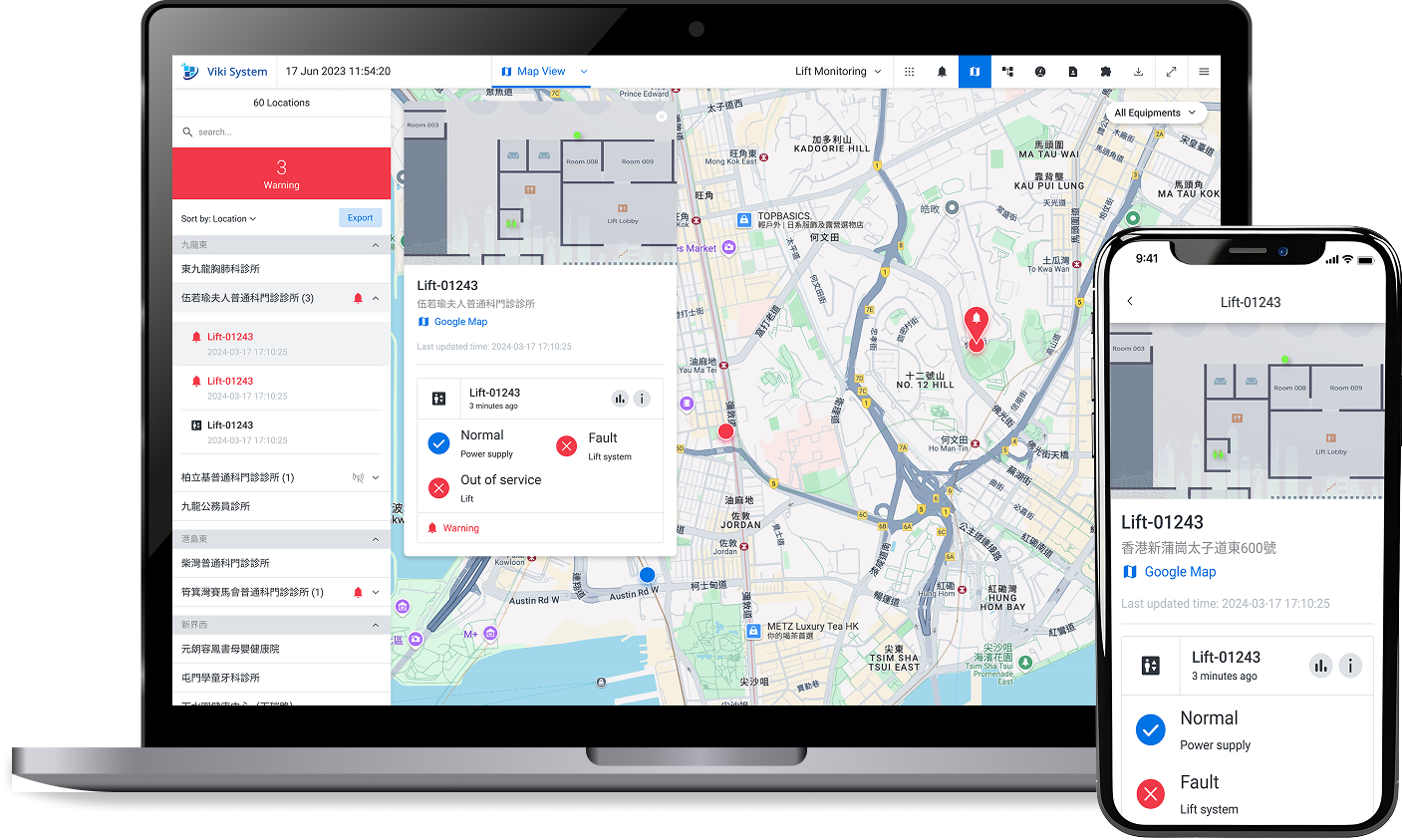
Web and mobile views stay in sync, showing the status, alarms and fault history of every system at a glance. Time-stamped events support incident investigations. Add more monitoring applications to SenseOS later without building another system.
Customer example
Night-time alarms instantly notify the duty team
Usually within half a day per alarm panel, connected through dry contacts or the network. The alarm system does not need to be replaced or modified.
Around two years in normal use. The platform and app remind you when battery levels are low, so devices never fail silently.
Yes. Any panel with a dry-contact or network output can be connected, and we inspect it on site first.
Historical data is stored in the cloud and can be viewed at any time or exported as Excel or PDF reports.
Set multiple recipients and schedules to notify via SMS, WhatsApp, email or voice call.
Yes. API integration with existing property management or monitoring platforms is supported, or it can run independently without replacing existing equipment.
Based on the number of alarm panels and service period, including installation, platform use and support, quoted after a site assessment.
Local support is available during office hours, with free replacement during the hardware warranty.
Extend the same SenseOS platform to more building management scenarios.
Battery health, load and outage alerts so a failed backup is never a surprise.
Learn moreCold-chain records with instant alerts on out-of-range temperature or power cuts.
Learn moreDetect smoke and fire early and notify the duty team instantly.
Learn moreWhy Viki System
Viki System Limited is a Hong Kong IoT engineering company. Our local team builds and maintains the SenseOS platform in-house, and we handle hardware selection, on-site installation, platform integration and ongoing support, so you deal with a single supplier.
100% locally developed
SenseOS is built in Hong Kong by a team that knows local regulations, with no waiting on overseas vendors.
End-to-end delivery
Hardware selection, installation by our local engineers, integration and testing from one supplier.
EMSD
2,000+devices monitored, custom-built for EMSD
Real-time monitoring and automatic alerts across 1,800+ traffic lights, 200+ pumps and 600+ lifts.
MTR
1,000+track access gates monitored 24/7
Instant alerts on unauthorised opening, reducing unauthorised track access.





Have a question or want to book a consultation? Fill in the form below and we will get back to you shortly.
Address
Room B, 20/F, Ford Glory Plaza, 37 Wing Hong Street, Cheung Sha Wan, Kowloon
(Lai Chi Kok MTR Station, Exit C)
Phone
3956-1190Website
www.vikisys.com